Mac · Apple silicon
For Macs with an M1 or newer Apple chip.
Download for Apple siliconSHA-256 checksumOrthoSlicer · macOS and Windows
Explore scientific images, measure what matters, and move through large volumes in one clear workspace.
Free Mac downloads are available below. The Windows release is available in the Microsoft Store. The Mac App Store release is not yet available.
From a single image
to a multidimensional volume.
Free Mac download · version 0.1.0 · build 2.10
No account, activation, or subscription required. Choose a download for your Mac, or use the Microsoft Store link below for Windows.
For Macs with an M1 or newer Apple chip.
Download for Apple siliconSHA-256 checksumFor Macs with an Intel processor.
Download for Intel MacSHA-256 checksumBuild 2.10 fixes importing large image sequence folders. These Mac downloads are signed and notarized. Open the ZIP, drag OrthoSlicer into Applications, then open it. To check your Mac type, choose Apple menu → About This Mac and look for Chip or Processor. Read the user guide.
Windows is available in the Microsoft Store. Get OrthoSlicer for Windows (version 1.0.3.0).
A closer look
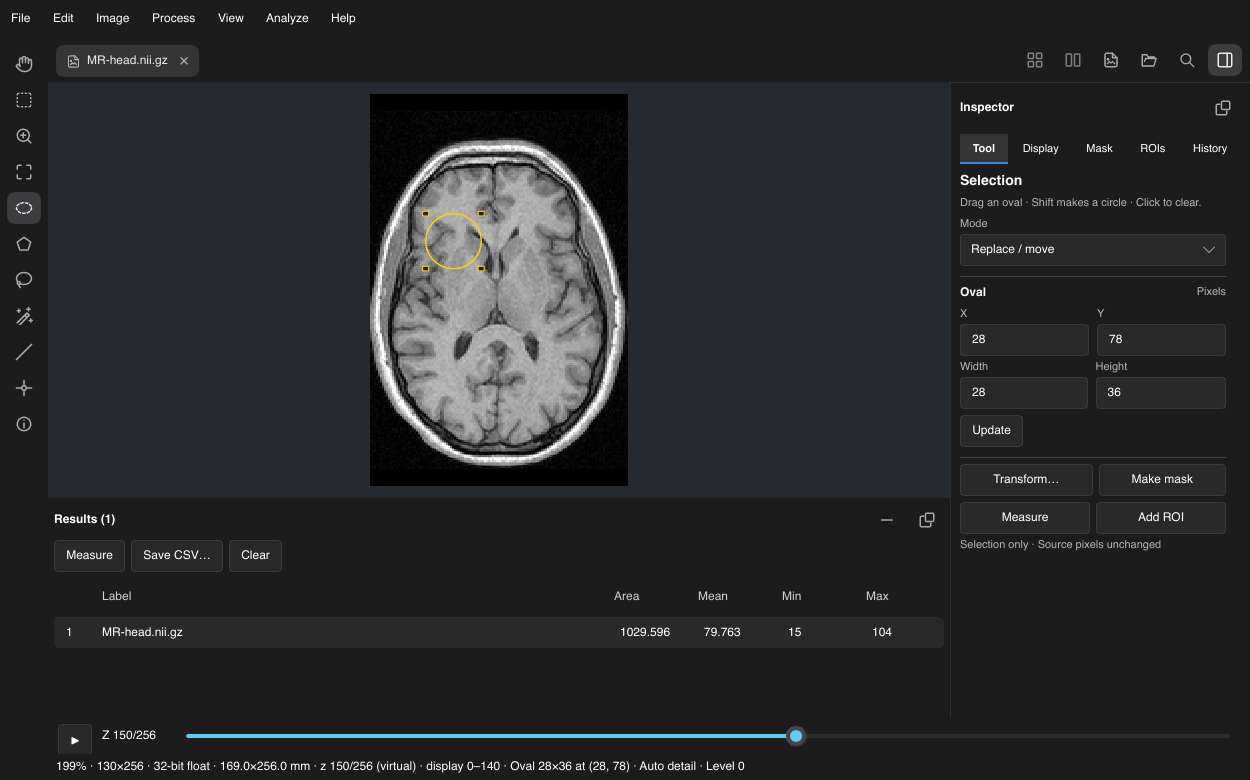
Public CT and MRI sample data, rendered in OrthoSlicer. Image sources & license · Explore the user guide
Calibrated measurements, regions of interest, thresholds, particle analysis, and CSV results. Bring ImageJ ROI sets into your workflow.
Lazy loading for stacks and volumes, channels and time points, linked orthogonal views, and interactive GPU volume rendering.
Your images stay on your computer. The free launch requires no account, activation server, or subscription.
Help shape what comes next
Found a problem? Have an idea? Tell us what you were trying to do and what would make your work easier.
Support & suggestions